Big ideas.Meet your team.
Your projects. Your agents.
One happy place to work.
Meet the open-source terminal office that turns coding agents into a team you can actually see.
Open your office Take a look aroundYOUR FAVORITE AGENTS.
ONE SHARED OFFICE.
Your choice.
Great things happen
when everyone has a place.
Less juggling terminals. More making things.
Bring your agents, your projects, and your next big idea together.
A floor for every idea.
Give each project its own team, conversations, files, and tickets. Make room for whatever comes next.
First a plan. Then progress.
Shape the approach with your agent. Edit the draft. Approve the plan. Let your team take it from there.
Every shift builds on the last.
Keep the decisions, context, and lessons that matter. Your next conversation starts with a little more understanding.
A real office.
Right in your terminal.
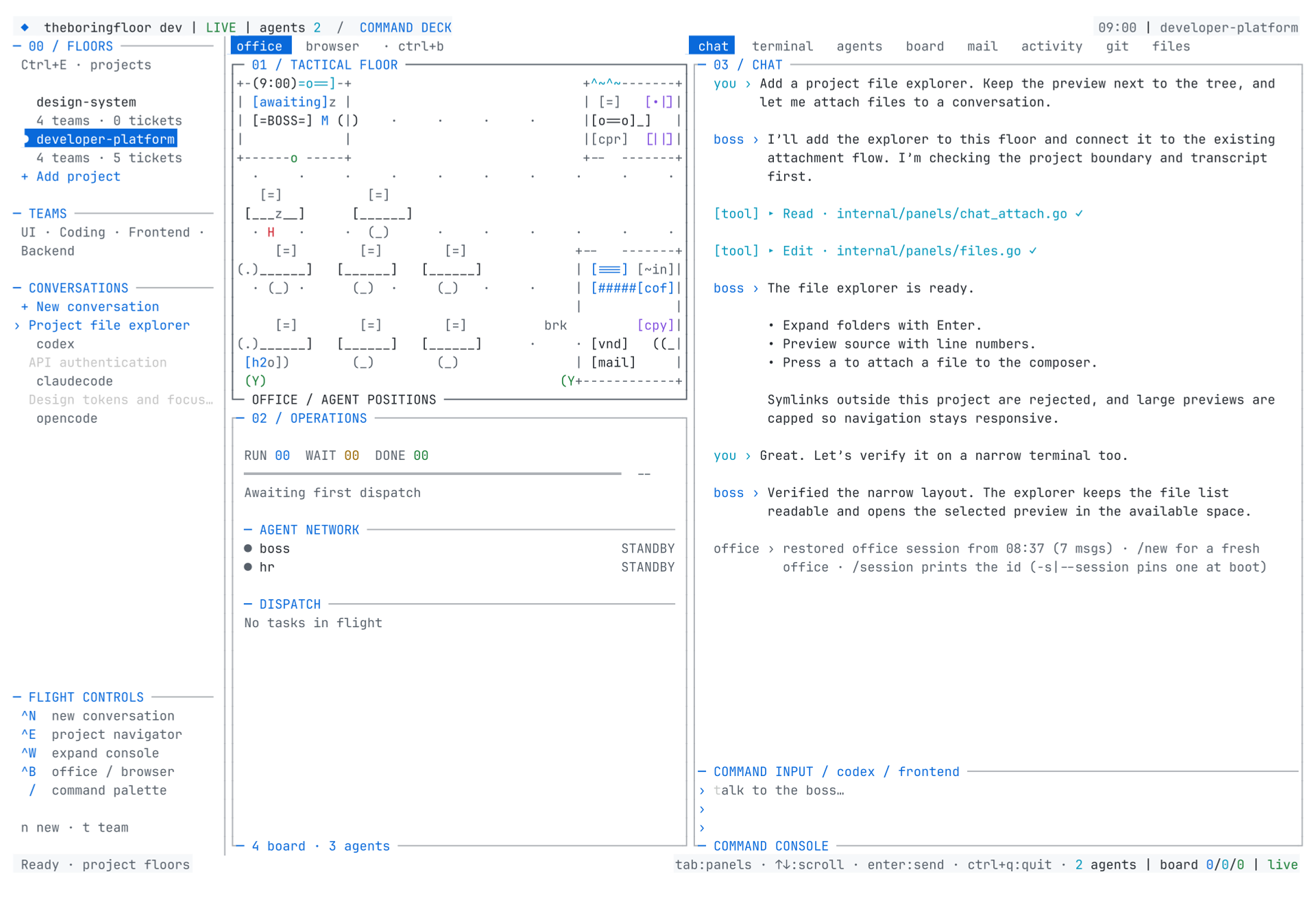
Watch your agents clock in, pick up tickets, and build. Stay close to the work without getting in its way.
See the team. Follow the work.
A living office on the left. The full conversation on the right. Every coworker, tool call, and handoff stays in view.
Make yourself
right at home.
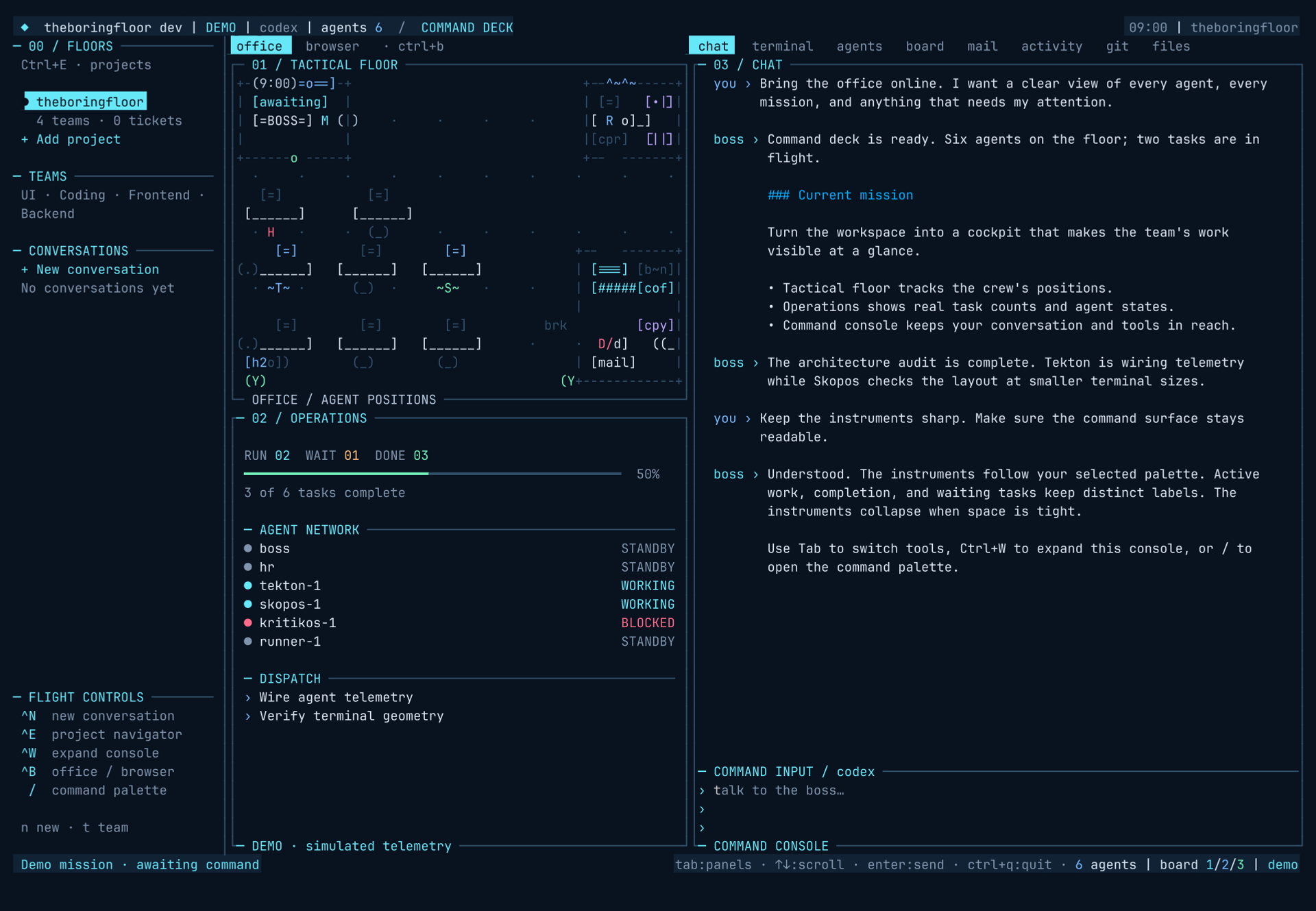
From first-light ideas to late-night breakthroughs. Find your favorite among 14 built-in palettes. Every corner of your office follows along.
Cockpit
Midnight blue. Phosphor instruments. Your command deck, ready for anything.
/theme cockpitRun this command inside theboringfloor.
You set the direction.
They get to work.
From the first “what if” to the final diff, there’s a place for every part of the process.
- 01
Talk it through.
Bring the goal. Work out the plan together.
- 02
Give it the go-ahead.
Review the approach before the work begins.
- 03
Stay in the loop.
Follow the threads, review the result, ship it.
Let’s make
something great.
WHEREVER YOU ARE.
Big work.
Small screen.
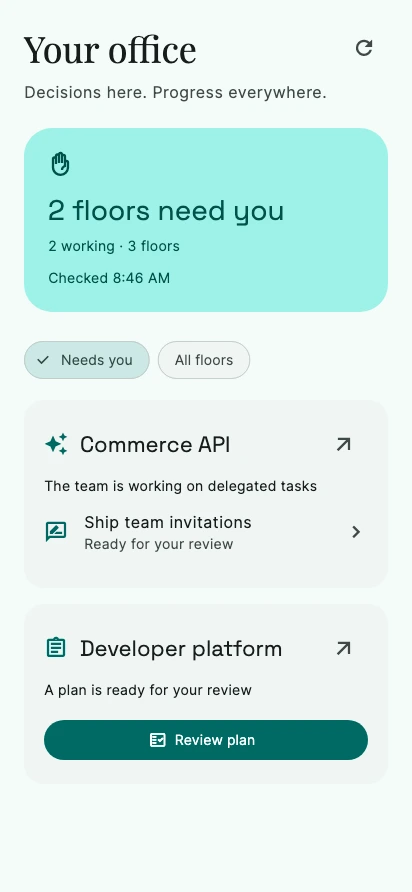
Step away from your desk. Your office will tap you on the shoulder when it needs you.
- Review a plan over your morning coffee.
- Unblock the team while you’re out.
- Find finished work ready for your eyes.
Local at heart.
A native Go application. Your files and workspace live on your machine.
Bring your own intelligence.
Choose your coding backend. Keep your existing tools and subscriptions.
Built in the open.
MIT licensed. Read the code, make it yours, and help shape what’s next.
Around the office.
All storiesWhat exactly is theboringfloor?
A native terminal application that turns your coding agents into a visible team. It brings project workspaces, agent conversations, a task board, file browsing, and a living office into one place. The agents do real work through your configured coding backend.
Which coding agents can I use?
OpenCode, Claude Code, and Codex are supported. Choose the backend for each new conversation and use your existing CLI setup. OpenCode is the default. Provider accounts, API usage, and model subscriptions are managed separately.
Is it really free and open source?
Yes. The application is released under the MIT license. You can inspect the source, run it, modify it, and contribute. Your chosen model provider or coding agent may have its own usage costs.
Does my code stay on my machine?
Your workspace, files, and office run locally. Your configured coding backend may send prompts, context, and code to its model provider according to that provider’s settings and terms. You stay in control of permissions and the backend you choose.
Can I check on the office from my phone?
The Android companion provides an attention inbox for plan reviews, blocked work, and tickets ready for review. Connect it to your office through the authenticated remote control plane. Setup instructions are in the documentation.
curl -fsSL https://boringfloor.com/install.sh | sh